
Mobile clinic parking and host-site planning
How to Evaluate Parking Locations Before Scheduling Visits
Review the full operating site before scheduling
Quick answer
Evaluate mobile clinic parking locations using the selected vehicle’s dimensions and full operating footprint, arrival route, surface conditions, patient access, utilities, and host permissions. Collect measurements and photos, identify unresolved details, and have the responsible vehicle and program teams review the site before scheduling a visit.
A parking location needs to support arrival, setup, patient movement, service, and departure. A space that holds the vehicle may still leave important operating questions unanswered.
Evaluate the actual unit and planned setup rather than a generic parking-space label. The entry location, deployed equipment, and surrounding activity matter alongside length and width.
Magnum Mobile Specialty Vehicles builds configured medical clinics and dental clinics. Use this mobile clinic parking locations checklist to organize host information and vehicle-planning questions.
1. Collect the operating footprint
Start with confirmed dimensions and setup information for the selected vehicle. Keep this reference with your site-planning documents so hosts evaluate the same requirements.
Vehicle dimensions: Record length, width, height, and the relevant configuration details. Include a trailer and tow vehicle where they are part of the deployment plan.
Doors and equipment: Identify the sides and areas needed for doors, steps, an entry system, service compartments, or other deployed equipment.
Working space: Review staff access, patient movement, and any outdoor waiting arrangement. These activities can extend beyond the vehicle’s parked footprint.
Information gaps: Ask Magnum to clarify vehicle-specific setup questions. Keep unconfirmed dimensions or equipment assumptions visible until resolved.
2. Review arrival and departure
Review the route into and out of the site with the people responsible for driving or towing. The final parking space is only one part of the vehicle’s movement through the location.
Collect photos and measurements of entrances, gates, turns, overhead obstacles, and the intended departure route. Note obstacles that change with deliveries, other parked vehicles, or event traffic.
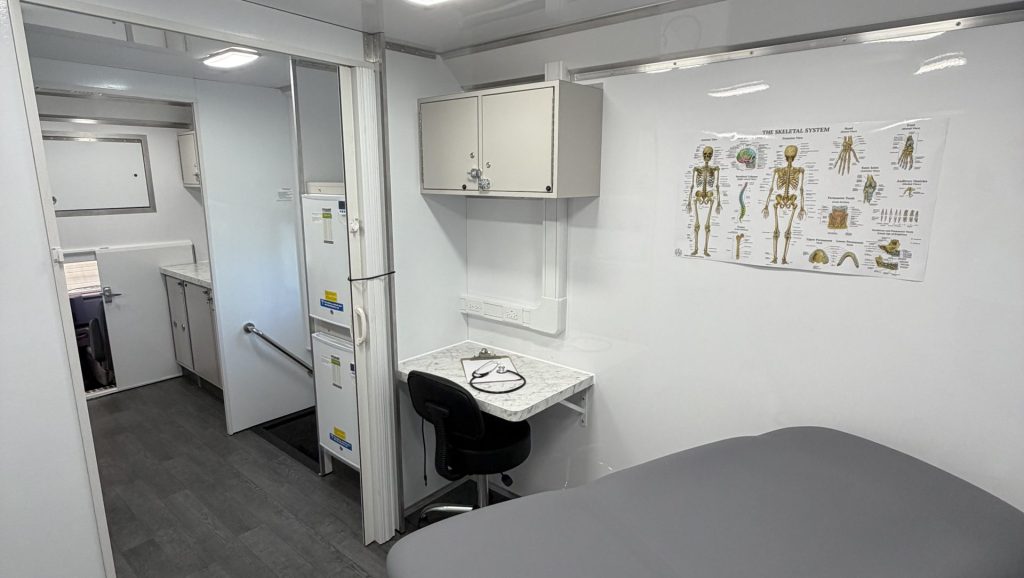
Have the responsible driver or vehicle team assess the proposed route and maneuvering plan. Confirm when the route is available and who helps coordinate arrival and departure.
3. Evaluate setup and patient access
Evaluate the actual setup position and patient route. Include the vehicle’s entry system, nearby traffic, waiting areas, and movement between host facilities and the clinic.
Surface conditions: Record the proposed surface, slope, and visible condition. Have the responsible team assess suitability for the vehicle and deployed entry equipment.
Entry clearance: Check the space around doors, steps, ramps, or lifts using the selected system’s requirements. Avoid treating a vehicle-length measurement as a complete access review.
Patient movement: Review the route from arrival or drop-off to the clinic entry. Include the needs identified by your program’s accessibility planning.
Surrounding activity: Identify pedestrian routes, neighboring operations, deliveries, and moving vehicles. Assign the host and program responsibilities for the agreed arrangement.
4. Verify utilities and host support
Verify the services the host can provide at the intended parking position. “Available on site” does not establish that a connection or facility supports the planned visit.
Electrical supply: Have the required connection details verified against the selected vehicle. Identify any locations that will instead require the configured onboard power system.
Connectivity: Test the program’s intended applications and devices at the actual location. Record host-network permissions and any arrangements managed by your IT team.
Facilities: Confirm any host-provided restroom, waiting area, or support space your operating plan depends on, including access hours.
System servicing: Verify separate refill, waste-handling, or other servicing arrangements where needed. Do not assume parking permission includes those services.
Operating conditions: Review site rules and the manufacturer’s requirements for any proposed onboard systems. Bring unresolved vehicle questions to Magnum.
5. Confirm permissions and responsibilities
Get the host’s agreement on the specific location, dates, setup, and responsibilities. Have the appropriate program representatives identify any additional site approvals or operating requirements.
Reserved space: Confirm how the location will remain available when the clinic arrives. Identify a host contact who can resolve access problems.
Schedule: Include arrival, setup, service, and departure periods. Check for competing events, deliveries, or facility closures.
Weather and changes: Agree on who reports site changes and how the program evaluates an alternative location or a rescheduled visit.
Operating ownership: Record who handles patient directions, utilities, waiting arrangements, and closing tasks. Confirm dependencies before announcing the visit.
6. Document the site review
Keep a dated site record with measurements, photos, utility information, host contacts, and the vehicle configuration reviewed. Separate confirmed details from questions needing follow-up.
Review status: Record who assessed the site and which details remain open. A completed photo collection is information for review, not automatic approval.
Before the visit: Reconfirm access and setup arrangements with the host. Have the responsible team check the location on arrival under your program’s procedures.
After changes: Revisit the record when the vehicle, entry equipment, parking position, or surrounding site conditions change.
Vehicle planning: Read Magnum’s build process and share your deployment requirements before choosing the vehicle configuration.
Mobile clinic parking locations FAQs
What should we check at mobile clinic parking locations?
Review the full operating footprint, arrival and departure routes, setup surface, patient access, utilities, host facilities, permissions, and responsibilities. Use the selected vehicle’s confirmed requirements and record unresolved details.
Is a space long enough for the vehicle sufficient?
No. The site also needs to support maneuvering, doors, the entry system, service access, and patient movement. Review those activities with the actual vehicle configuration and planned setup.
What should a host provide before a site review?
Request measurements and photos of the route and parking position, utility details, facility access hours, site restrictions, and a responsible contact. Mark information still awaiting verification.
Should we review a site again after changing vehicles?
Yes. Different dimensions, entry locations, equipment, or setup requirements can affect the site. Review the new configuration and reconfirm host arrangements before relying on the earlier assessment.
Plan vehicle deployment with Magnum
Site planning helps your team explain how and where the vehicle will operate. It also identifies the deployment information that belongs in the buying discussion.
Explore Magnum’s medical clinic options and dental clinic options with your intended sites in mind.
Discuss your vehicle with Magnum Mobile and bring site photos, measurements, access questions, and utility requirements.
For broader planning, request the free Mobile Healthcare Buyer Guide through its landing page.
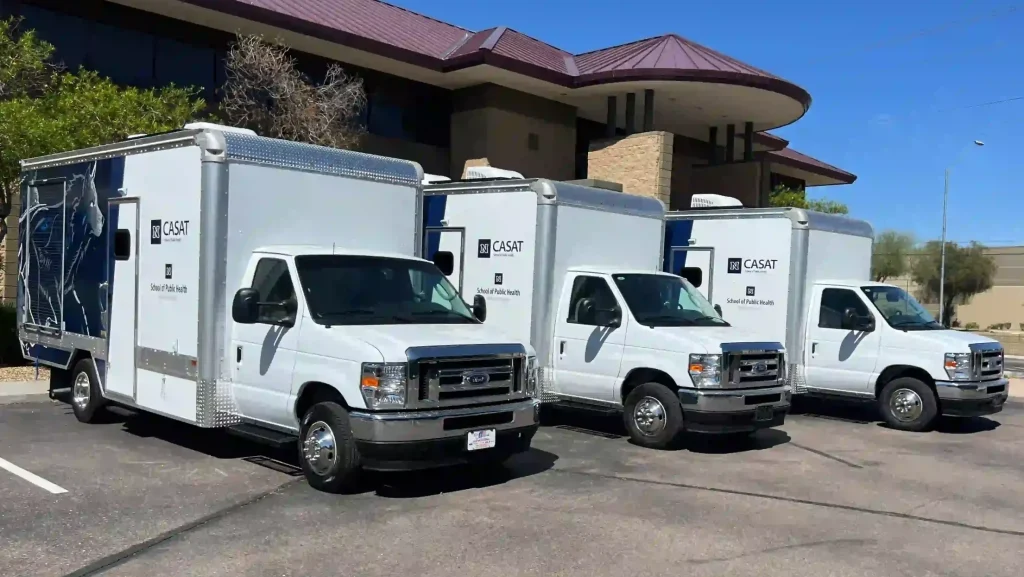
Discuss Your Vehicle
Evaluating host sites? Share your proposed locations, access routes, setup needs, and utilities with Magnum.
Use that information to discuss a vehicle configuration for your planned deployment.
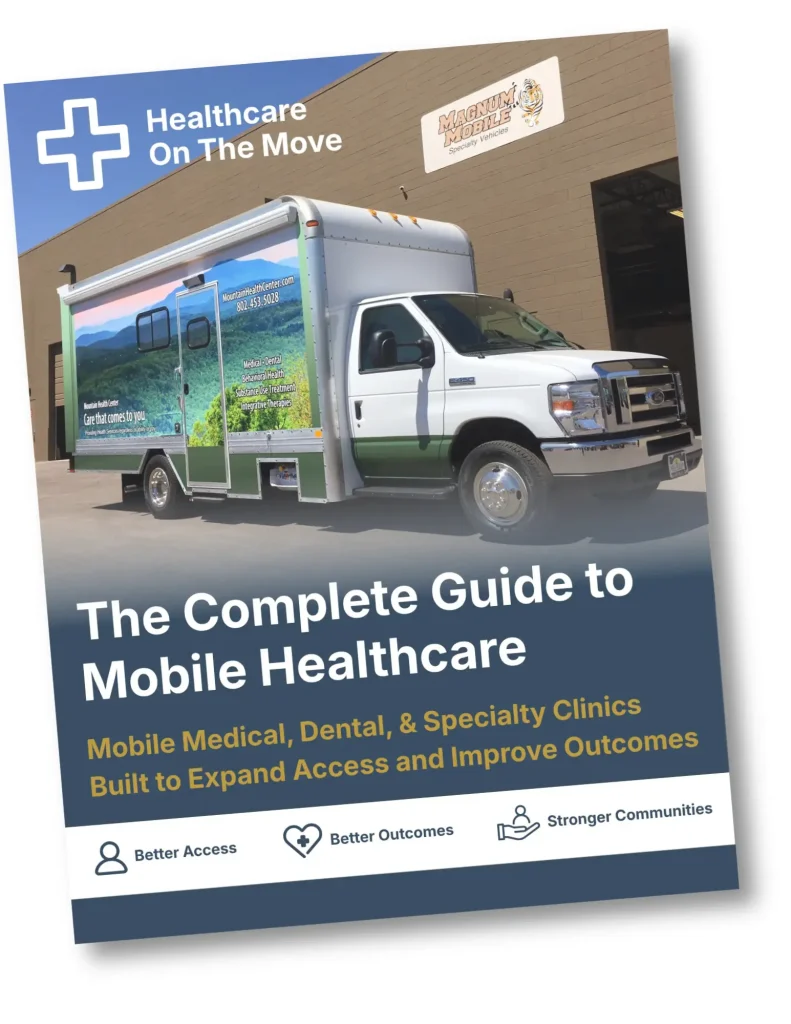
Get the Free Buyer Guide
Get the free Mobile Healthcare Buyer Guide to organize services, equipment, and host-site planning questions.
Trusted Nationwide
Trusted by Leading Healthcare Organizations
Trusted by healthcare providers, public agencies, universities, and nonprofit organizations to deliver high-quality mobile specialty vehicles.







Built to Support
Organizations Across Every Sector
Delivering mobile solutions for healthcare, education, government, nonprofit, and commercial applications.
Healthcare
Education
Government
Non-Profit
Public Safety
Corporate
Ready to Get Started
Let’s Build a Solution That Moves Care Forward
Tell us about your operation and our team will help build the right mobile vehicle solution for your needs.